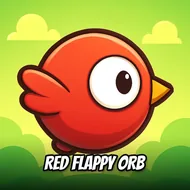
Red Flappy Orb
Instructions:
Use mouse or touch the screenDescription
Red Flappy Orb HTML5 Performance and Gameplay
Highlights
- A vivid red color scheme keeps the main character easy to track against busy backgrounds.
- Specially constructed obstacle courses add genuine variety beyond a simple repeating pattern.
- Lightweight HTML5 performance keeps the game running smoothly across most devices.
- A straightforward floating mechanic makes this approachable for players new to the wider genre.
Controller & Keyboard Guide
- Click the mouse on a desktop browser to make your ball float upward briefly.
- Tap the touchscreen directly when playing on a mobile or tablet device.
- Time each input to maintain a steady altitude through narrower obstacle gaps.
- Release your input briefly to let gravity pull the ball back down as needed.
The overall obstacle course design leans toward a steady, gradual increase in difficulty rather than throwing overwhelming challenges at players right from the very first attempt, giving newcomers a fair chance to build genuine confidence with the floating mechanic before facing the trickier configurations found later in a longer run. Comparing best distances with friends after a session adds a small competitive spark on top of the otherwise relaxed floating loop, and the specially constructed obstacle courses keep even a familiar player genuinely engaged well past their first several attempts. That gradual difficulty curve gives newcomers a fair chance to build real confidence before tackling the toughest sections. Short, replayable runs make this an easy pick for a quick floating challenge whenever a few free minutes happen to open up during a busy day.