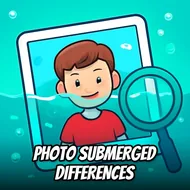
Photo Submerged Differences
Instructions:
Use any pointing device or touch screen to play this gameDescription
Photo Submerged Differences: The Road To The Championship
There's no timer screaming at you, no shark chasing your cursor around the screen. Just two nearly identical underwater shots sitting side by side, daring you to notice what's off. Five differences per round, tucked into coral, fish scales, bubbles, the odd piece of sunken treasure. Sounds simple until you're fifteen minutes deep, squinting at a starfish that might have grown an extra arm or might just be your eyes playing tricks. The "championship" here isn't about beating a clock, it's about training your brain to stop skimming and actually look, panel by panel, pixel by pixel, until the picture gives up its secrets.
Winning Strategies
- Split the photo into mental quadrants and clear one section fully before your eyes wander to the next.
- Check color first, then shape, then position — most tricky edits hide in one of those three buckets.
- Slow down on busy areas like coral clusters or schools of fish, since clutter is exactly where designers love to bury changes.
- Take a short break if a difference won't reveal itself; fresh eyes catch what tired ones keep skipping over.
- Compare edges and outlines specifically, since missing or shifted borders are sneakier than obvious color swaps.
Control Scheme
- Play with a mouse on desktop, clicking directly on the spot where you think something's changed.
- Tap the screen instead if you're on a phone or tablet, since touch input works the same way.
- No dragging, no holding, no combos — a single confirmed click or tap is all each guess needs.
- Wrong guesses won't punish you harshly, so there's room to test a hunch before committing fully.
- Zoom in visually with your own focus rather than any in-game tool, since the challenge leans on attention, not gadgets.